Showing posts with label photo zoom. Show all posts

Canon 7D’s APS-C sensor match the 5D Mark II’s full-frame sensor

 
One question I often get asked about digital SLRs is what’s the difference between a full-frame sensor (such as those in professional dSLRs like the Canon EOS 5D Mark II or Nikon D3S) and an APS-C-sized or “crop” sensor (such as those in most consumer-oriented dSLRs like the Canon EOS Rebel T2i or Nikon D3100, as well as higher-end cameras like the Canon 7D). And with semi-pro cameras like the 7D beginning to match or even better their big-sensored siblings specs- and feature-wise, it becomes an even more interesting question.


I recently came across the above video which helps provide one of the answers to just that question. Though “lens comparison test” is kind of a misnomer, this simple video (5Dmk2/7D lens comparison test from Mike Collins on Vimeo) offers a great visual illustration of how the difference in size between full-frame and APS-C sensors affects field of view (and focal length).

The video doesn’t actually compare lenses as the title implies; rather, it provides a good depiction of how the field of view differs between the two types of sensors when using the same lens. Using the same set of prime lenses (ranging from 20mm to 100mm) plus a Lensbaby Composer thrown in for fun, Collins shot test videos with a full-sensor Canon EOS 5D Mark II and a APS-C-sensor 7D set up on a tripod in the same spot.

As the video depicts clearly, the larger sensor provides a much wider field of view when using the same lens. So one benefit of the full-frame chip size is that you can have very wide angle lenses — thus, with a single lens (say, 28-105mm), you can get a good wide angle view as well as decent telephoto. But with an APS chip, the 28mm lens doesn’t produce a very wide-angle shot, though you do gain a lot on the telephoto end. (For a good, in-depth explanation, read Bob Atkin’s article on crop sensors and lenses.)

Of course the same number of pixels on a smaller size chip won’t give you the same image quality as a larger chip, because in order to cram more pixels onto a smaller sensor, you need to use smaller pixels, which will results in more noise and less dynamic range, and therefore poorer image quality.

So the short answer is that, all other factors being equal, a larger full-frame sensor will give you a wider field of view and better image quality than a smaller sensor.

For more information, check out:
BobAtkins.com: Crop Sensor (APS-C) Cameras and Lens Confusion
DPreview.com: Sensor Sizes

[Via Gizmodo]

Blogger or Blogspot, making photo zoom


FancyZoom 1.1

Update: Version 1.1 released 2/8/08. Good bug fixes + Opera compatibility!

...so I fought back the charging Guanaco, immediately hopped on my paraglider, and basically caught the first flight out of Chile — but not without dealing with some cantankerous customs inspectors while drinking a cool glass of chicha. Really sorry it took so long! But hey, two years later, it's finally done!

Smooth Javascript Image Zooming For Your Web PagesThis much-requested chunk of Javascript to zoom images inline, originally written for this blog but later rolled out to the Panic website and used for screenshots, is now polished up, bug-fixed, available for you to use on your website!

Designed to view full-size photos and images inline without requiring a separate web page load, FancyZoom's raison d’être (French for "raisin-determination") is providing a smooth, clean, truly Mac-like effect, almost like it's a function of Safari itself. Since I originally wrote this script, there are now a lot of image zoomers to choose from (including a similar effect now on Apple's own site!), such as the popular (and inspiring) Lightbox. So you might be asking: "Cabel, why use FancyZoom?" Well, here's why!

Focused on the smoothest, most polished zooming animation possible
Automatically scales images from any image link, with no HTML changes
Preloads full-size images in the background on link mouseover
No resource-heavy Javascript libraries — 100% coded from scratch to zoom
Draws a nice drop shadow under the full-size image to offset it from the page
Uses Safari 3's "box-shadow" feature to draw the drop shadow natively, no images required
Requires only two new lines of code in your HTML
Tested and works with Safari, Firefox, IE7, and IE6. (Looks better in modern browsers.)

Since FancyZoom is so easy to add to a web page, I encourage you to give it a try!
InstructionsInstalling FancyZoom on your web pages should be dead simple.


1 Download the FancyZoom package, right here:


FancyZoom 1.1.zip (53 KB)


2 Using Transmit (or your favorite FTP client), upload the two folders inside the package to the root of your webserver.

3Add the following two lines of code to the section at the top of your web page(s):


4Add onload="setupZoom()" inside your page's existing tag. For example:


5Whoah. You're done! The rest is automatic — links to images in your page will automatically zoom the images. For example:

will zoom up image.jpg when clicked.
Additional DetailsThere are a few extra notes that you might find useful.

Want to add a caption? Add a title tag in your href. That's it!

FancyZoom will use the size of the first element in the href to determine the initial size and location of the zoom.

FancyZoom works best if you wrap your href around a thumbnail, but also works from text-only links to images.

FancyZoom will attach itself to any jpg, gif, png, bmp, or tiff link in your page.

If you're a Javascript hacker, FancyZoom's flexible fadeIn and fadeOut functions can be used for all sorts of fun stuff.

If you explicitly don't want an image to zoom, add a rel="nozoom" tag to your href.
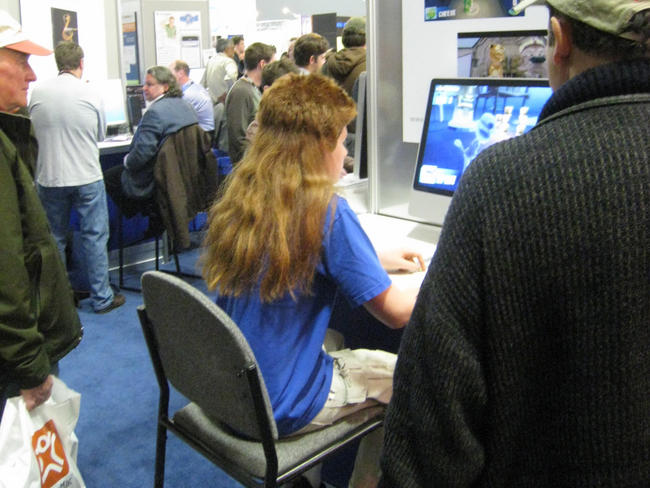
ExampleIt's both an example, and some random pictures from Macworld Expo 2008!


Release NotesVersion 1.1 released 2/8/2008.
Improved Opera compatibility
Fixed an issue that would cause crazy infinite zooming
Improves caption behavior in certain situations
Now returns any alt-clicks and command-clicks back to the browser, for standard behavior (open in new tab, etc.)
LicenseFancyZoom is totally free for your non-commercial website.

In a bit of an experiment: if your website is commercial (i.e. makes you money), you can license FancyZoom for $39 per site, a one-time fee. Instantly add nice image zooming to your site. Click here to instantly and securely buy a license.

EnjoyI hope you and your websites enjoy FancyZoom. If you make any cool changes or improvements, let me know! And if you have awesome feedback, or find weird bugs, drop word in the comments.


PS: Yes, you can even hold shift when you click an image. The Apple tradition continues!